Limited time offer & Get a free Pro trial period with your first-time sign-in.
How to Install IG Post Exporter Manually?
If you are using
Microsoft Edge browser, we recommend that you install the IG Super Booster Bot from
Microsoft Edge Add-ons StoreBelow is an example of manual installation for IG Growth Auto Bot, you can refer to the video and guiding text to install IG Post Exporter.
1.Download the latest (v1.1.5) extension packaged (It's free).
Due to network reasons, it may take some time, please wait patiently, if the download fails, please refresh the page and try again
2. After downloading the extension package as a zip file, unzip the file to a directory.(Please move the folder to a secure directory, and do not delete the directory)

3. In chrome, visit [chrome://extensions]
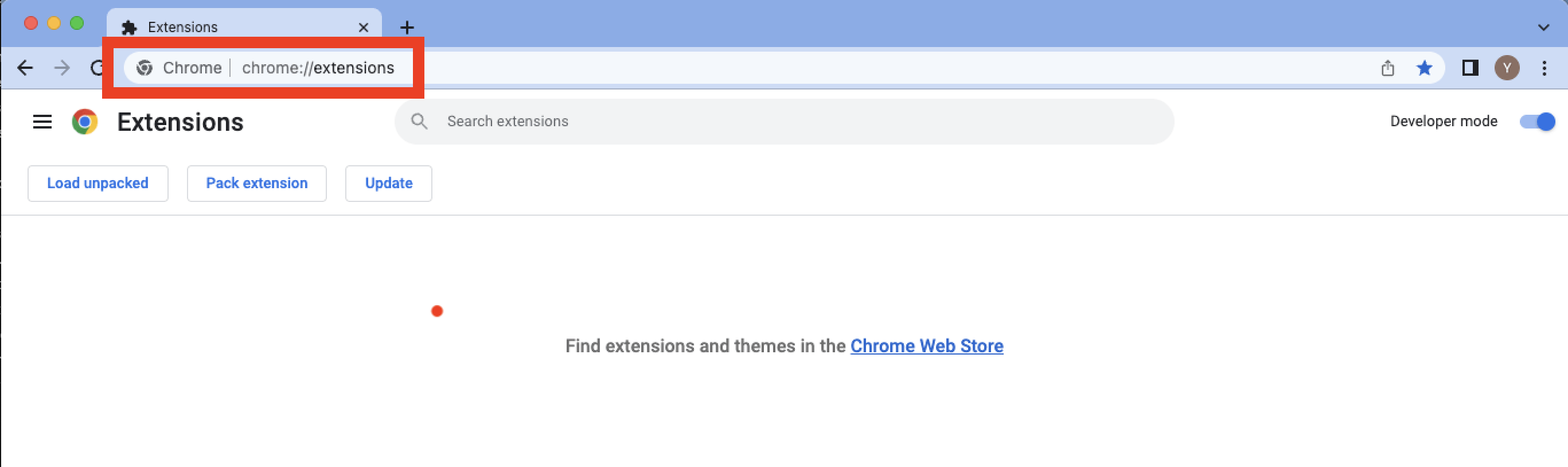
4. Enable [Developer mode], click [Load unpacked], and then select [ig-posts-exporter] Folder

Done!
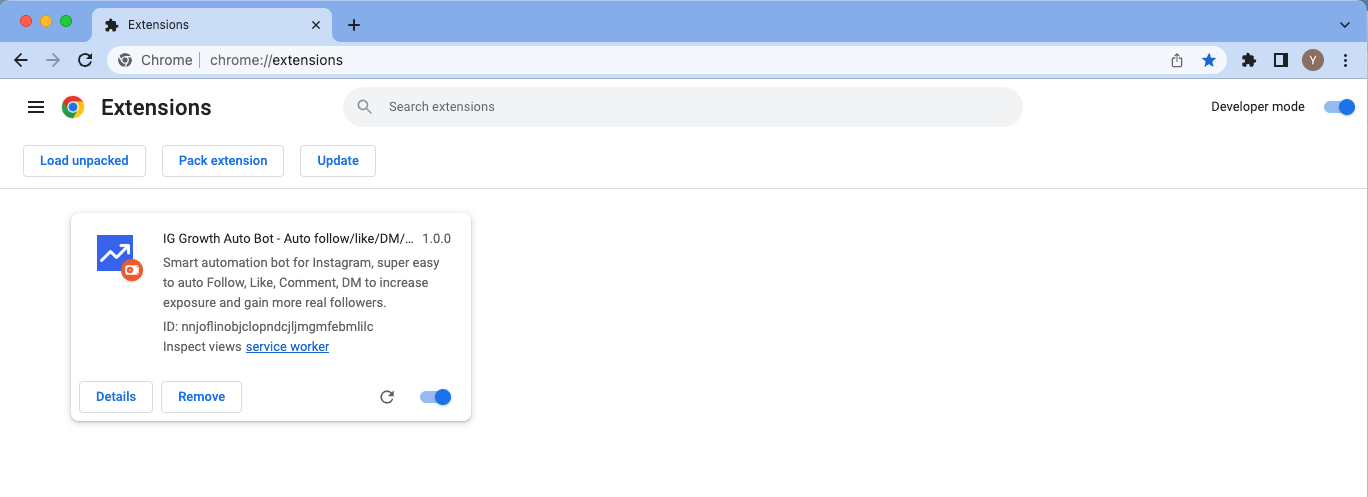
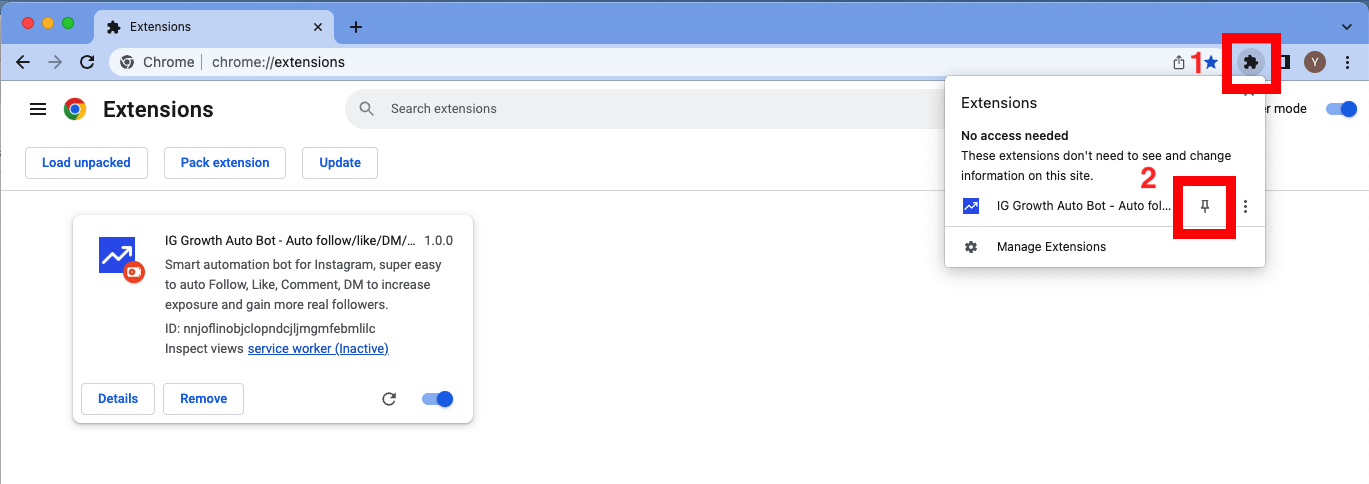
5. The extension is installed, and you are ready to go. For easy access to the extension, pin it and it will appear on the toolbar.
6. How to update?
If you are upgrading the software package, please do not delete the previous installation directory as it will result in the loss of task history records. Instead, download the software package, extract the ZIP file, and modify the directory name to match your previous installation directory. Then, simply replace the directory with the new one. For example, if the previous directory name was ig-posts-exporter, the newly downloaded extracted directory should also be named ig-posts-exporter before performing the replacement.

© 2026 Ping Apps. All rights reserved
Products
IG Export Tool - All in one export toolIG Follower ExporterIG DM Sender BotIG Auto Follow UnfollowIG Auto LikeIG Growth Auto BotIG Followers TrackerIG Monitor BotIG Email ExporterIG Comment ExporterIG Like ExporterIG Post ExporterAmazon reviews exporterX(Twitter) DM BotTwitter Auto Follow UnfollowTwitter Auto LikeTwitter Followers/Following ExporterTwitter Tweets ExporterAuto Text ExpanderContact US
Email:
pingappsteam@tailang.topLive Chat:
Please feel free to contact us by clicking the blue button located in the lower right corner.
Got any questions?
If you have any questions, feel free to leave them.
Don't worry, as we will respond within 24 hours.